

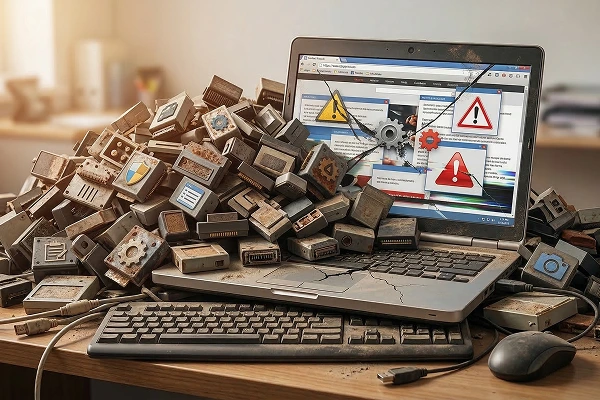
It’s a very common temptation: you see a new feature on another website, search for a free Website tool, click “Install,” and you’re done. A year later, your website has 45 tools installed—half of them inactive, and the other half fighting with each other.
At DapSite, we call this “Digital Hoarding Syndrome.” Accumulating unnecessary tools doesn’t make your website better; it makes it slow, vulnerable, and prone to crashing at the worst possible moment.
The 3 Major Dangers of Hoarding Tools
Installing a tool is like inviting a stranger to live in your business’s house. If you don’t know who they are or what they do, problems won’t take long to appear:
1. Dead Weight (Extreme Sluggishness)
Every tool you install adds lines of code that your customer’s browser has to download. If you have 10 design tools, 5 for forms, and 3 for analytics, your website will take an eternity to load. And remember: if it takes more than 3 seconds, 50% of your customers will leave.
2. Code Conflicts (The White Screen of Death)
Tools are created by different developers around the world. They aren’t designed to all work together seamlessly. A routine update of one tool can clash with another, breaking your website’s design or, even worse, leaving it completely blank.
3. Security Holes (Open Doors for Hackers)
Abandoned or outdated tools are the number one cause of websites hacks. If you have a tool installed that its creator stopped updating two years ago, you basically have an unlocked backdoor where cybercriminals can steal your data.
The DapSite Philosophy: Less is More
With our Support Plans, we perform a deep and continuous cleanup of your digital ecosystem. We don’t believe in band-aids; we believe in efficiency:
-
Tool Audit: We review what each tool does, one by one. If two tools do the same thing, we eliminate the less efficient one.
-
Clean Code Substitution: Often, the functions of a heavy tool can be achieved with a couple of lines of clean custom code that we implement ourselves.
-
Safe Updates (Staging): Before updating a tool on your live website, we test it in a secure staging environment to ensure nothing breaks.
Conclusion
Your website doesn’t need 50 tools to be successful; it needs the right tools, configured by experts. A lightweight website is a website that sells more.
Don’t know how many tools you have or what they do? Stop guessing. With a DapSite Standard or Pro Plan, we handle the cleanup, optimize your system, and make sure you only have what is strictly necessary to succeed.