

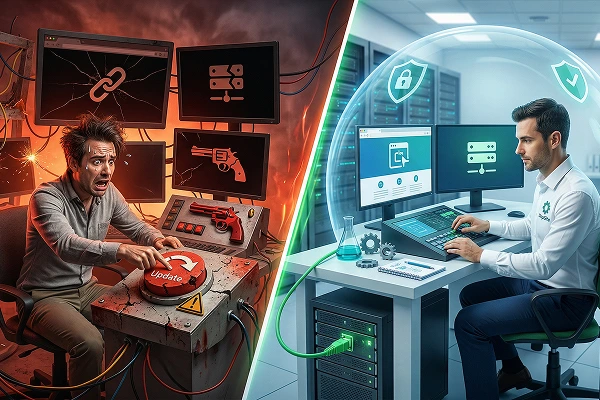
It is a Tuesday at 2:00 PM. You are checking your website and see a pending update for your main theme, or perhaps you decide to install a new tool to add a WhatsApp button. You click “Update” or “Install.” Suddenly, the page reloads and… a blank white screen. Your website is gone.
If you have ever felt that drop in your stomach, you know what we are talking about. Making changes, installing tools, or updating code directly on your public website (what developers call “in production” or “live”) is the digital equivalent of playing Russian roulette.
At DapSite, we refuse to gamble with our clients’ businesses. That is why implementing changes directly on a live site is a practice we strictly forbid.
The 3 Common Disasters of “Live” Editing
When you tweak code or update elements on a website that is receiving real-time traffic, you expose yourself to unnecessary risks:
1. The “White Screen of Death”
It is the most dreaded error in websites. It happens when a new tool conflicts with your existing code. By doing it live, you are not the only one who sees the white screen; all your potential customers see it too, destroying your business’s credibility in seconds.
2. Broken Shopping Carts (Without You Noticing)
Sometimes the error isn’t so obvious. You update a tool live, the website seems to work fine, but three days later you realize no one has bought anything. You discover that the update broke the “Checkout” button on the final step. How much money did you lose in those three days?
3. Irrecoverable Data Loss
If you make a live change that corrupts your database and you don’t have a very recent backup (from a couple of hours ago), you will lose blog posts, new user registrations, or recent orders when you try to restore the system.
The Professional Golden Rule: The Staging Environment
Professionals don’t cross their fingers and hope for the best. They use something called a Staging Environment.
A Staging environment is an exact, hidden clone of your website. It is a “digital laboratory” where we can run the riskiest experiments without your customers ever noticing.
With DapSite’s Support Plans, this is our standard protocol:
| Action | The Amateur Method (Live) | The DapSite Method (With Staging) |
| Updating a complex tool | Click, pray, and hope nothing breaks. | We clone the site, update, test everything, and then push the change to the live site. |
| Changing a page design | Customers see a half-built website. | We design in private. Once approved and perfect, we publish it in a second. |
| If something fails… | You panic, lose sales, and seek urgent help. | Nothing happens. We delete the clone, the real site is unaffected, and we find another solution. |
Conclusion: Your website is not a testing lab
Your public website is your business’s main stage, not the place to rehearse. Every update, no matter how harmless it seems, has the potential to break your site.
Are you crossing your fingers every time you click “Update”?
Eliminate the risk and the anxiety. With a DapSite Support Plan, we manage your website using secure Staging environments. Your customers will always see a perfect page, while we work safely behind the scenes.